How to download Microsoft Office Professional Plus 2016/2019 and Microsoft Project/Visio/Outlook Apps


After your order has been completed you will have received an email showing that your order has been completed. This email contains your 25 character product key in the format XXXXX-XXXXX-XXXXX-XXXXX-XXXXX. PLEASE DO NOT SHARE YOUR KEY AS THIS IS ONLY FOR A SINGLE ACTIVATION, DOING SO MAY DE-ACTIVATE YOUR INSTALLED COPY

Now you need to follow the instructions below and you will have your software installed in no time.


Step 2

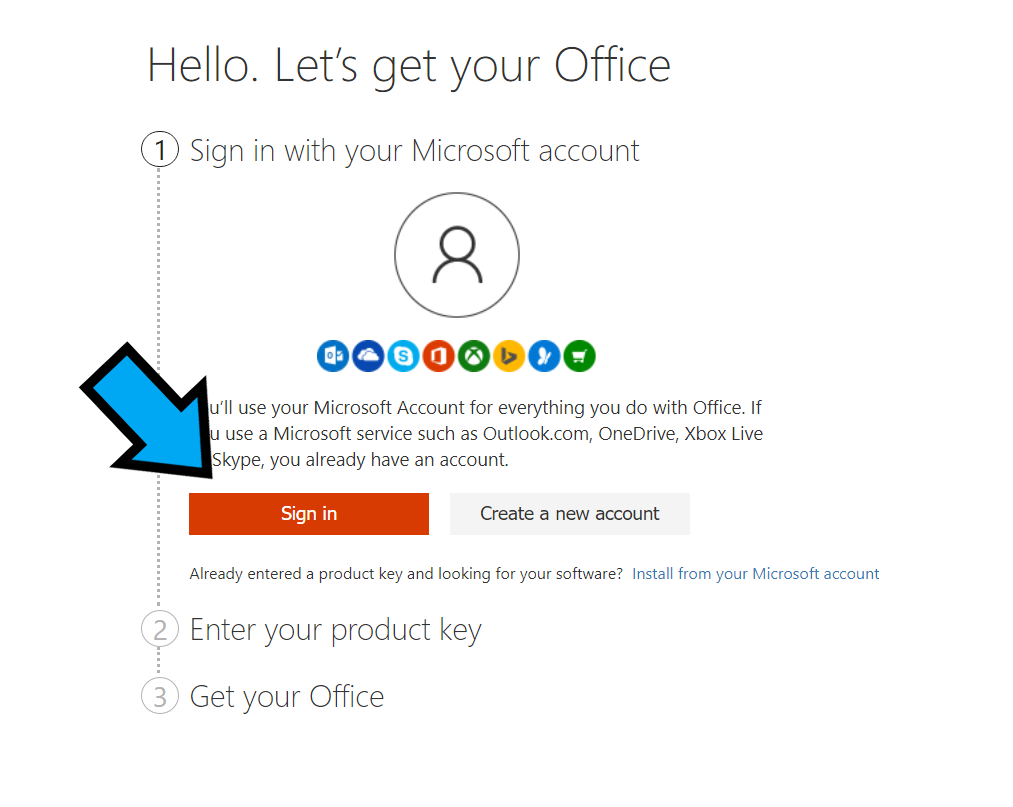
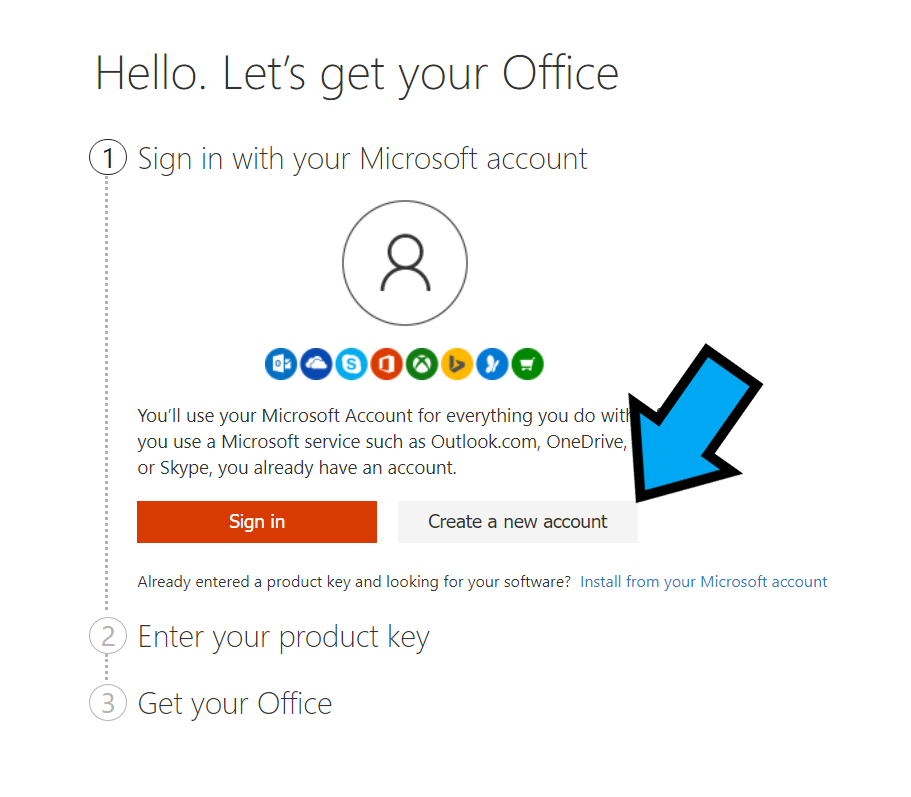
Login to your Microsoft account. Don’t worry if you don’t have one you can create it on the same page.

Step 3

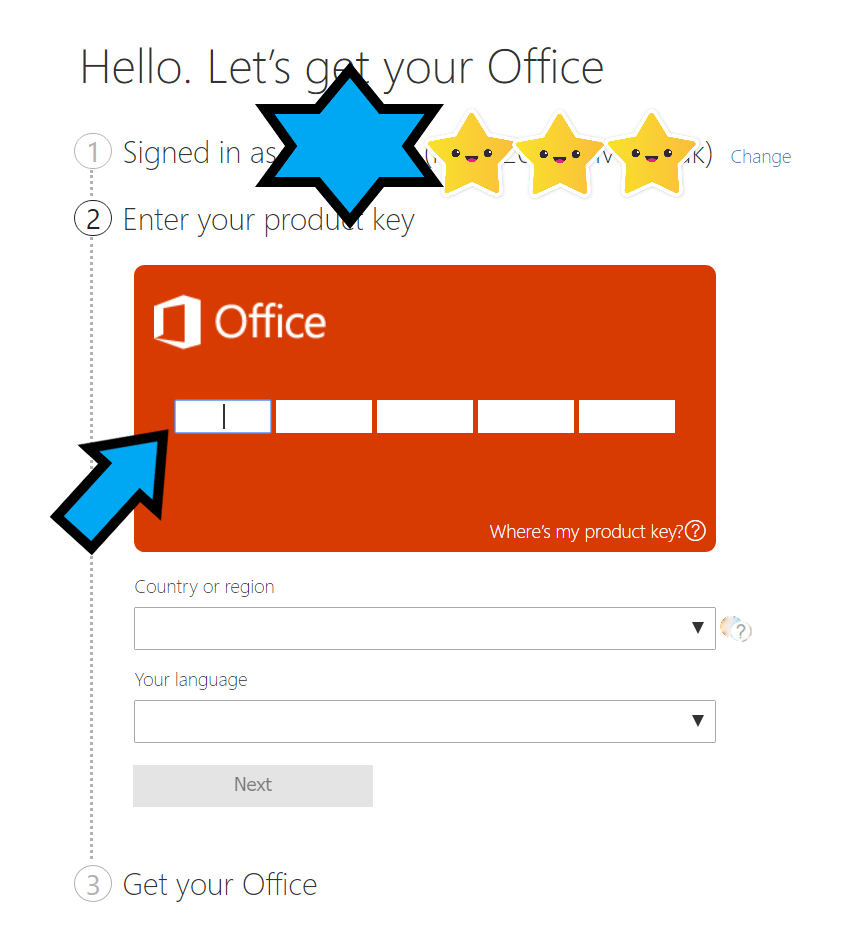
Once logged in you can enter your product key into the box provided.

Step 4

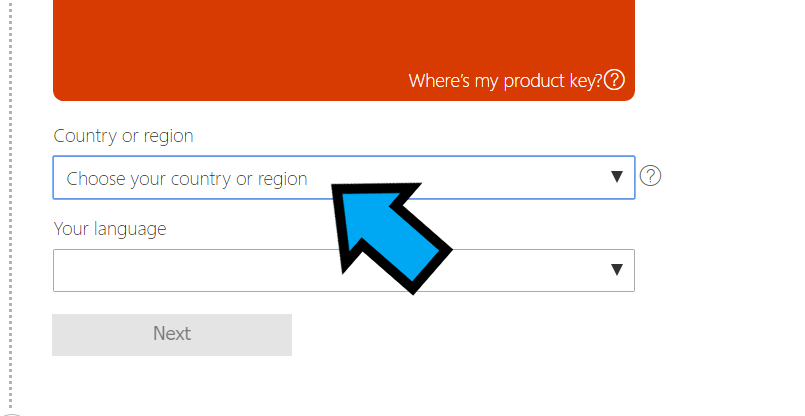
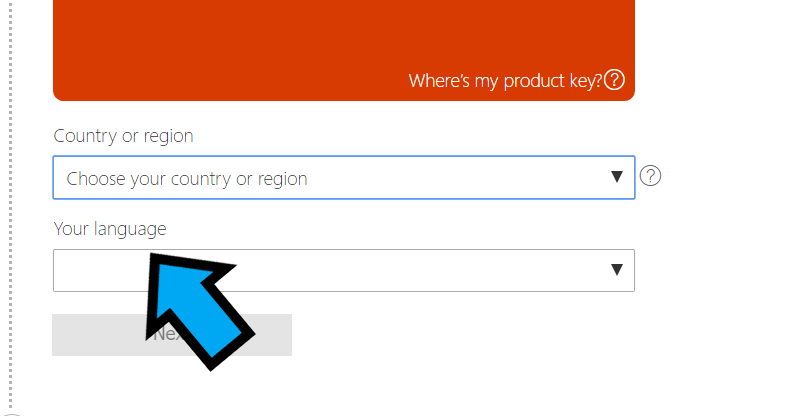
Then select your country/region and your language

Step 5

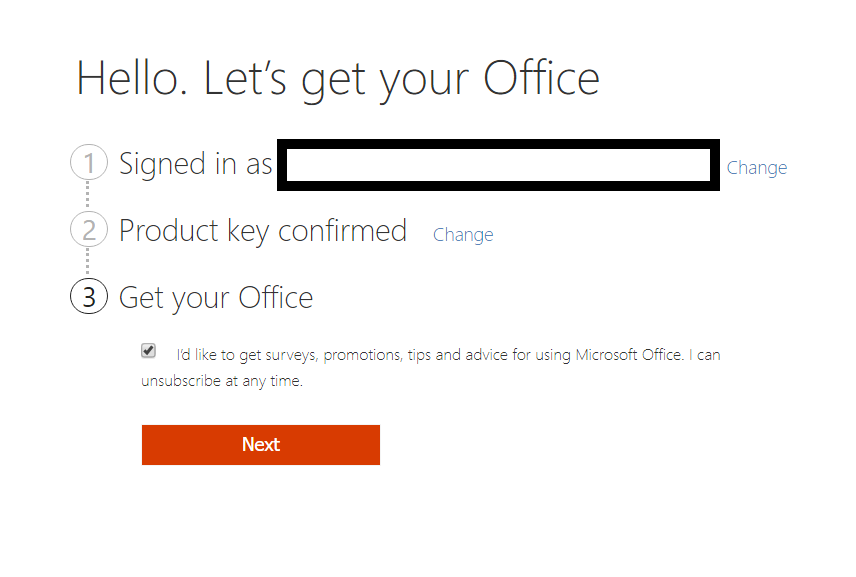
On the next page you should click next (you can opt out of subscribing if you wish)

Step 6

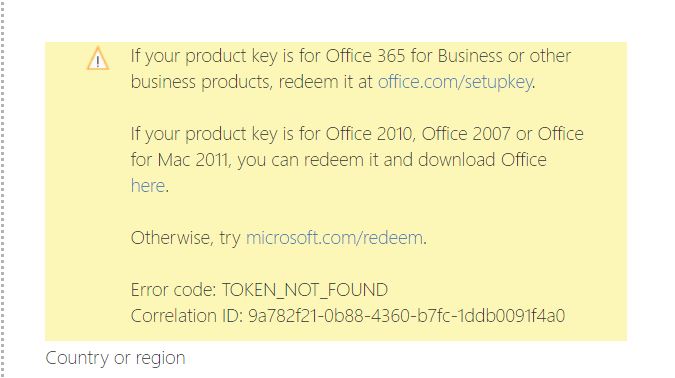
If you see this screen error below please re-type your key, If it still does not work we will happily look into this for you. Email hello@keylinksoftware.co.uk for this or any other issues. Please quote your order number and email address.

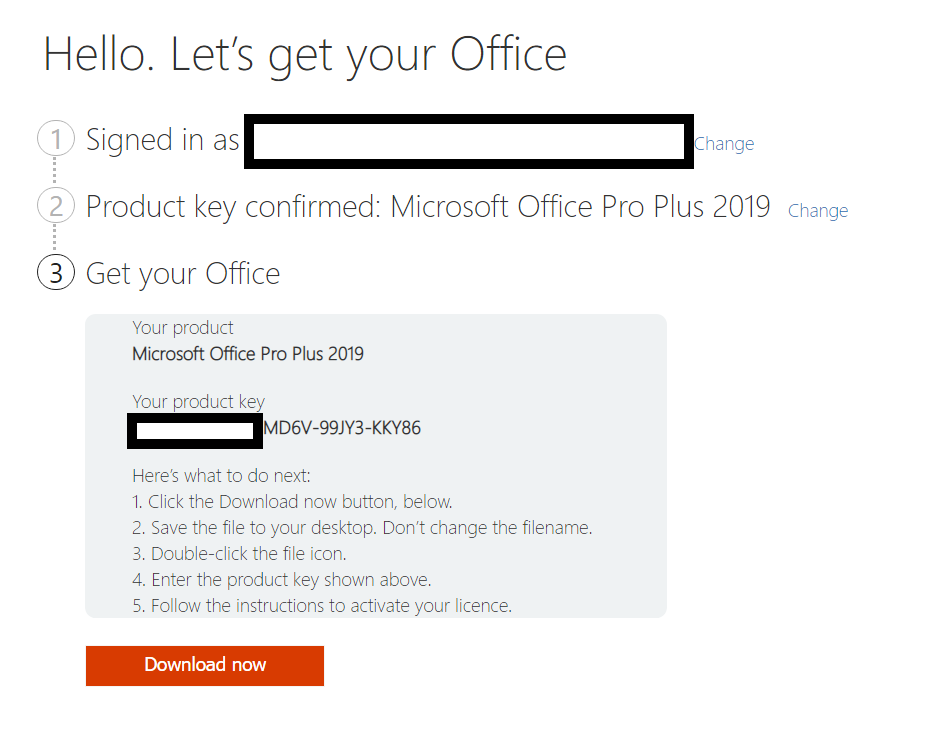
Enjoy your software! All done!

Troubleshooting Errors

I get the yellow box error

If you see this screen error below please re-type your key, If it still does not work we will happily look into this for you. Email hello@keylinksoftware.co.uk for this or any other issues. Please quote your order number and email address. Alternatively use the form below

Contact Form For Help

Cart
Your cart is currently empty.
Get In Touch

We are here to help. Ask us any question we will get back to you within 24 hours.

This website uses cookies to ensure you get the best experience on our website. For more information see our privacy policy